Production: why has work stopped?
How do I start production?
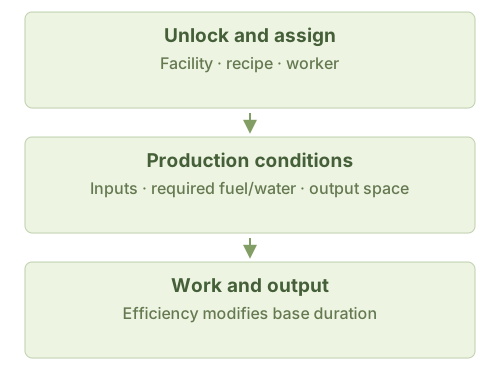
Assign workers, choose an output and recipe and supply one batch of its inputs. Cooking Stations, Alchemy Cauldrons and Furnaces also need fuel: choose firewood, coal or either in fuel settings. Mushroom Boxes need water, wood and fertilizer from their recipe; workers fetch water from a source.
Why are available materials not being used?
Check the selected recipe: named items require an exact match; categories allow items in that category. Rough Food’s grain recipe uses 70 Grain for 100 output; Vegetables do not substitute. The vegetable recipe is a separate choice. Then check input search range (initially 50 tiles), storage access and reservations.
Why stop with workers and inputs ready?
Check pause, the selected output’s production limit and space in the facility and eligible output storage. Then read workers’ current tasks. Fetching, hauling finished goods, eating and resting do not advance production at the same time.
Does “10 days” mean exactly 10 days?
That is base work time for one batch, excluding fetching, output hauling and waits. Efficiency changes work progress. Educated workers add the recipe’s education bonus to batch output; the recipe entry gives the amount. Calculators round whole batches using base output, not guaranteed on-site time.
Can I craft damaged equipment?
Damaged-equipment entries show materials returned by recycling, not crafting recipes.
View the production diagram
Rule sources
WindowWorkFacility.cs; WindowWorkshop.cs; WindowWorkshopCookTable.cs; BlueprintInfo.cs; FacilityWorkshop.cs: MakeProduct; FacilityCookTable.cs; FacilityFurnace.cs; FacilityMushroomBox.cs (includes FacilityStateMushroomBox); blueprint.json